
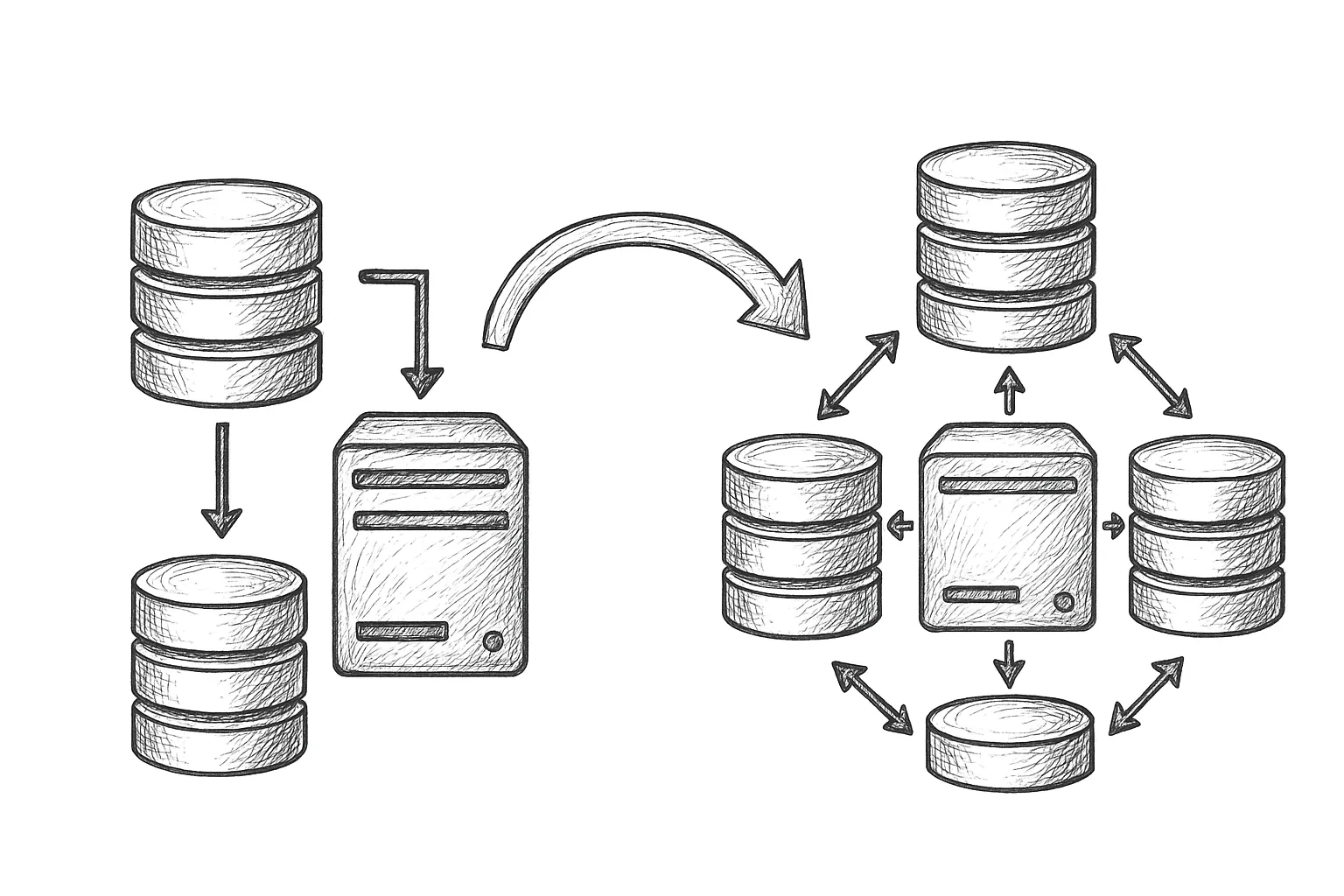
This article walks through how to convert an existing classic MySQL replication topology into an InnoDB Cluster using Group Replication and MySQL Shell.
1. What You Are Converting From and To
Most existing setups look like this:
Classic async replication

      +----------+
      | Primary  |
      |  RW      |
      +----------+
        /      \
       /        \
+----------+  +----------+
| Replica  |  | Replica  |
|  RO      |  |  RO      |
+----------+  +----------+
After conversion to InnoDB Cluster, you aim for something like:
InnoDB Cluster (Group Replication)

      +-------------------+
      |   Router / App    |
      +-------------------+
          /    |     \
         /     |      \
+----------+ +----------+ +----------+
| Member 1 | | Member 2 | | Member 3 |
|  R/W    | |  R/O     | |  R/O     |
+----------+ +----------+ +----------+
The key differences are:
- Group Replication (GR) for synchronous (or semi-synchronous style) replication.
- All members hold the same data set (multi-primary or single-primary mode).
- Managed using MySQL Shell AdminAPI (InnoDB Cluster).
2. Prerequisites and High-Level Plan
2.1 Technical prerequisites
- All servers on compatible MySQL versions with InnoDB and Group Replication available.
- Same major version across all members.
- On RHEL/Rocky Linux, systemd-managed mysqld instances.
- Stable, low-latency network between all nodes.
- Primary key on all replicated tables (strongly recommended for GR).
2.2 Migration strategy
A safe, incremental approach:
- Audit and standardise configuration.
- Pick target nodes for the future cluster.
- Ensure data consistency and stop writes on old primary.
- Enable Group Replication and bootstrap the cluster.
- Add remaining members and validate.
- Cut over applications (often via MySQL Router).
- Decommission old async replication.
3. Prepare the Existing Replication Topology
3.1 Review replication health
Before changing anything, make sure your current topology is healthy:
mysql> SHOW SLAVE STATUS\G
mysql> SHOW MASTER STATUS\G
- Ensure
Seconds_Behind_Masteris small and stable. - Confirm no replication errors (
Last_SQL_Errorempty). - Take a fresh logical or physical backup.
3.2 Standardise configuration
For each future cluster member, align core settings in /etc/my.cnf (paths may vary):
[mysqld]
# Required for Group Replication
server_id               = 1        # unique per node
log_bin                 = mysql-bin
binlog_format           = ROW
gtid_mode               = ON
enforce_gtid_consistency = ON
transaction_write_set_extraction = XXHASH64
binlog_checksum         = CRC32

# InnoDB and durability
innodb_flush_log_at_trx_commit = 1
sync_binlog                     = 1
Adjust server_id per node and restart mysqld:
sudo systemctl restart mysqldVerify GTID and binary logging:
mysql> SHOW VARIABLES WHERE Variable_name IN
    -> ('gtid_mode','enforce_gtid_consistency','binlog_format');
4. Pick Cluster Members and Ensure Data Consistency
4.1 Select initial members
Choose three servers for a production cluster (recommended minimum for quorum):
- Member 1: current primary.
- Member 2: current replica.
- Member 3: current replica.
Avoid using laggy or undersized replicas as initial members.
4.2 Quiesce writes and validate data
To avoid divergence:
- Stop application writes (read-only maintenance window if needed).
- Set primary to read only temporarily:
mysql> SET GLOBAL super_read_only = ON;
- Wait for replicas to catch up (
Seconds_Behind_Master = 0). - Optionally run checksums (e.g.
pt-table-checksum) between primary and replicas.
Once you are confident all three nodes have identical data, you can proceed.
5. Enable Group Replication Prerequisites
5.1 Configure networking and firewall
Group Replication uses a dedicated port (default 33061). On each node, open the required ports on RHEL/Rocky Linux:
sudo firewall-cmd --permanent --add-port=3306/tcp
sudo firewall-cmd --permanent --add-port=33061/tcp
sudo firewall-cmd --reload
Ensure hostnames or IPs are resolvable between nodes.
5.2 Create replication user for Group Replication
On the future primary (Member 1):
mysql> CREATE USER 'gr_user'@'%' IDENTIFIED BY 'StrongPassword!';
mysql> GRANT REPLICATION SLAVE ON *.* TO 'gr_user'@'%';
mysql> FLUSH PRIVILEGES;
Use a secure password and restrict host patterns as appropriate for your environment.
6. Bootstrapping InnoDB Cluster with MySQL Shell
6.1 Connect with MySQL Shell
Install MySQL Shell on an admin host or one of the nodes, then connect in JavaScript mode:
$ mysqlsh --uri root@member1:3306
Switch to AdminAPI:
MySQL JS> var dba = require('dba');
6.2 Create the cluster on Member 1
Still with writes disabled on the old primary, configure the instance for InnoDB Cluster:
MySQL JS> dba.configureInstance('root@member1:3306');
Follow the prompts, then create the cluster (single-primary mode):
MySQL JS> var cluster = dba.createCluster('prodCluster', {
    localAddress: 'member1:33061',
    ipWhitelist: '10.0.0.0/24'
});
Verify status:
MySQL JS> cluster.status();
6.3 Add Member 2 and Member 3
Configure each instance first:
MySQL JS> dba.configureInstance('root@member2:3306');
MySQL JS> dba.configureInstance('root@member3:3306');
Then add them to the cluster:
MySQL JS> cluster.addInstance('root@member2:3306', {
    localAddress: 'member2:33061'
});

MySQL JS> cluster.addInstance('root@member3:3306', {
    localAddress: 'member3:33061'
});
Check the topology:
MySQL JS> cluster.status({extended: 1});
7. Cut Over Application Traffic
7.1 Deploy MySQL Router (recommended)
MySQL Router can automatically discover the cluster topology and route traffic appropriately. On an application or dedicated router host:
$ mysqlrouter --bootstrap root@member1:3306 --directory /var/lib/mysqlrouter
This will create local ports for R/W and R/O traffic, for example:
R/W port: 6446
R/O port: 6447
Update application connection strings to point to the Router host and ports instead of the old primary.
7.2 Remove the old async replication links
Once applications are confirmed to be using the cluster, clean up old replication:
mysql> STOP SLAVE;  -- on old replicas
mysql> RESET SLAVE ALL; -- WARNING: removes replication config
Run these commands only after you are fully committed to InnoDB Cluster and have backups.
8. Best Practices and Operational Tips
8.1 Single-primary vs multi-primary
- Single-primary: simpler conflict semantics; recommended for most workloads.
- Multi-primary: allows writes on multiple members but increases conflict risk and complexity.
For conversions from classic primary/replica, single-primary mode is usually the least disruptive.
8.2 Handling maintenance
- Use
cluster.setPrimaryInstance()to move the primary before maintenance. - Use
cluster.removeInstance()for permanent removals rather than manual GR commands. - Monitor
performance_schema.replication_group_membersfor member state.
8.3 Monitoring basics
Key metrics to watch:
- Group Replication member state and error logs.
- Transaction commit latency compared to old async setup.
- Network latency and packet loss between members.
Plan, test, and rehearse the conversion on a staging environment that mirrors production as closely as possible before touching live systems.
Practical migration rule
9. Rolling Back if Needed
If you hit blocking issues during cutover:
- Keep the old async replication topology intact until you have fully validated the cluster.
- Do not destroy the original primary data set until you have at least one full backup taken from the new cluster.
- If necessary, point applications back to the old primary and reverse any DNS or Router changes.
This article offers general technical guidance. Validate all configurations in a safe environment before applying them to production.
With careful preparation, converting a classic MySQL replication setup into an InnoDB Cluster gives you managed failover, consistent data across members, and a cleaner operational model without a full redesign of your existing databases.
Leave a Reply