
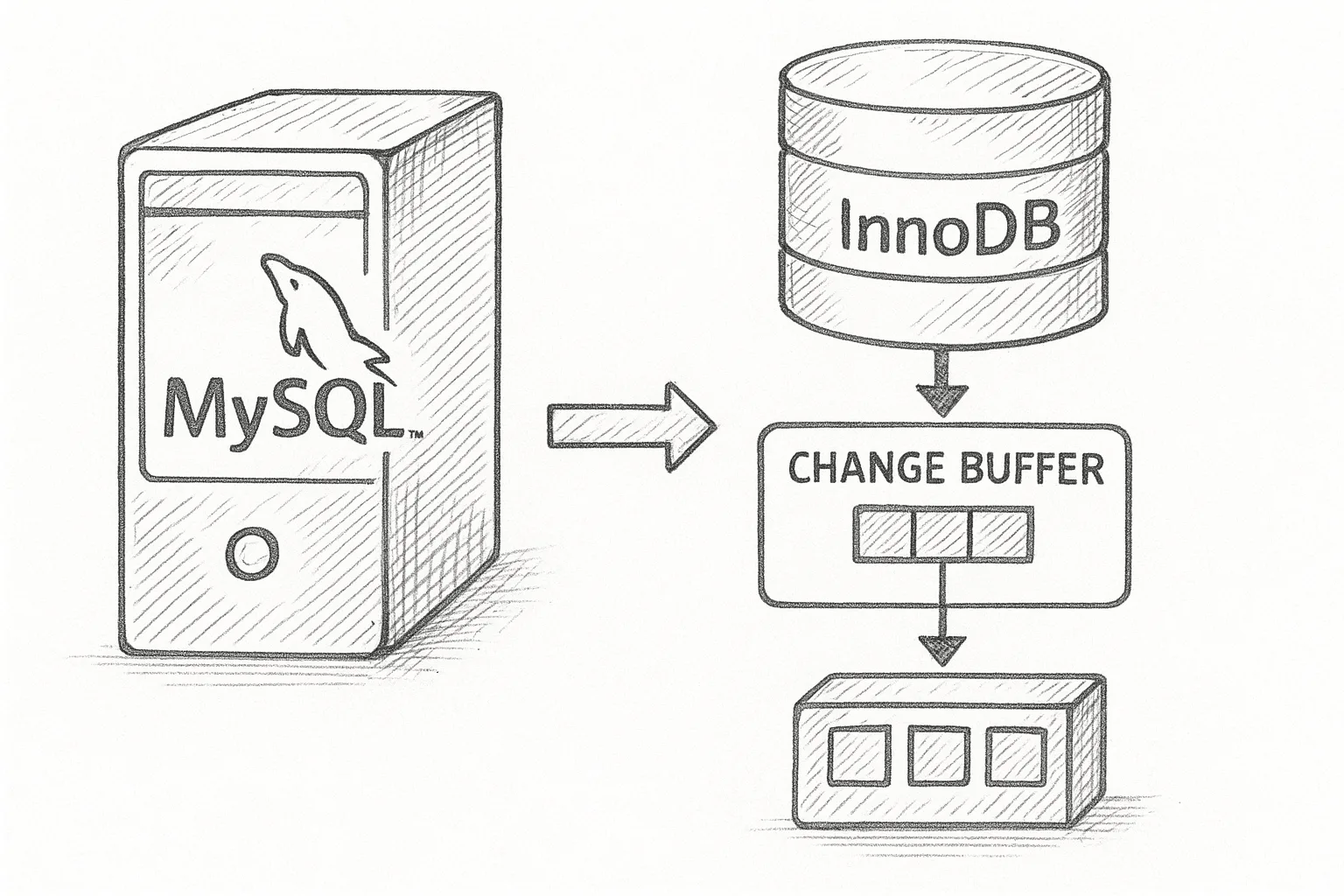
InnoDB change buffering is one of those features that quietly improves performance until it is misconfigured or misunderstood. This article explains what it does, when it helps, how to tune it, and what to watch for in production.
1. What is InnoDB change buffering?
InnoDB stores secondary index pages on disk in B-tree structures. When you insert, update, or delete rows, InnoDB must update those secondary index pages. If the relevant index pages are not in the buffer pool, fetching them from disk can be expensive.
Change buffering (historically called the insert buffer) avoids synchronously reading those index pages from disk. Instead, it temporarily stores index modifications in a special on-disk structure in the system tablespace (the change buffer) and applies them later in the background, typically when the index pages are eventually loaded into the buffer pool.
At a high level:
┌─────────────────────────┐
│ Client INSERT/UPDATE    │
└────────────┬────────────┘
             │
             v
┌─────────────────────────┐
│ Secondary index change  │
│  • Page in buffer pool? │
└────────────┬────────────┘
             │Yes                    No
             v                       v
┌─────────────────────┐    ┌─────────────────────────┐
│ Update page in RAM  │    │ Buffer change in        │
│ (buffer pool)       │    │ change buffer (on disk) │
└─────────────────────┘    └─────────────────────────┘
This trades some extra work later for lower latency and fewer random disk reads during write-heavy workloads.
2. When does InnoDB use change buffering?
Change buffering only applies to secondary indexes on InnoDB tables. It does not apply to:
- Clustered primary key index pages
- Unique secondary indexes (for some operations, uniqueness must be checked immediately)
- Tables using other storage engines
The behaviour is controlled by the innodb_change_buffering setting. Common values:
none– disable change bufferinginserts– buffer only secondary index insertsdeletes– buffer only deleteschanges– buffer inserts and deletesall– buffer inserts, deletes, and purges (most common default)
Check the current setting:
SHOW VARIABLES LIKE 'innodb_change_buffering';3. Why change buffering improves performance
Change buffering is most useful when:
- You have many secondary indexes.
- Your workload is write-heavy (bulk loads, ETL, batch jobs).
- Your data set is larger than memory, so many index pages are not in the buffer pool.
- Storage latency is significant (e.g. spinning disks or saturated SSDs).
Without change buffering, each secondary index modification may trigger a random read of the index page from disk, followed by a write. With change buffering, those random reads can be deferred or avoided.
This is particularly valuable for non-unique secondary indexes on large tables that are updated in a scattered key order.
4. How merge (apply) of buffered changes works
Buffered changes are not permanent until they are merged into the actual index pages. Merging happens when:
- The relevant index page is loaded into the buffer pool (e.g. due to a query or background activity).
- Background threads have time and resources to process pending changes.
- During normal shutdown and crash recovery, InnoDB replays and merges outstanding changes.
You can visualise it as:
┌──────────────────────────────┐
│ Secondary index page on disk │
└───────────────┬──────────────┘
                │   (not loaded)
                │
                v
       ┌────────────────┐
       │ Change buffer   │
       │  • pending ops  │
       └────────────────┘

When page is read into buffer pool:

┌──────────────────────────────┐
│ Index page in buffer pool    │◄─────────────┐
└───────────────┬──────────────┘              │
                │ apply buffered changes      │
                └─────────────────────────────┘
Merge activity consumes CPU and I/O. If the change buffer grows very large, catch-up can be expensive, especially after a crash or during shutdown/startup.
5. Inspecting and monitoring change buffering
5.1 Basic configuration and size
Key variables:
innodb_change_buffering– what types of operations are buffered.innodb_change_buffer_max_size– max percentage of the buffer pool that change buffer pages may occupy (logical limit; the data itself lives in the system tablespace).
View them:
SHOW VARIABLES LIKE 'innodb_change_buffer%';Monitor the current usage via INNODB_METRICS (if enabled) or InnoDB status:
SHOW ENGINE INNODB STATUS\GLook in the INSERT BUFFER AND ADAPTIVE HASH INDEX section. You will see lines similar to:
Ibuf: size 123, free list len 456, seg size 789, 123 mergesInterpretation (simplified):
- size – number of pages used by the change buffer.
- merges – number of merge operations performed.
Track these over time to understand whether the change buffer is growing without being merged efficiently.
5.2 Using performance_schema (where available)
On versions that expose InnoDB metrics via performance_schema, you can query metrics such as buffered operations and merges. Example pattern:
SELECT *
FROM performance_schema.global_status
WHERE VARIABLE_NAME LIKE 'innodb_ibuf%';
Check your specific version documentation for exact metric names.
6. Tuning change buffering step by step
6.1 Step 1 – Understand your workload
Before changing anything, characterise your workload:
- Is it OLTP (many small, random writes) or batch (large bulk loads)?
- How many secondary indexes per table?
- Is storage I/O a bottleneck?
- What is your buffer pool size relative to data size?
Change buffering helps most when random I/O is expensive and memory is limited relative to data.
6.2 Step 2 – Choose an appropriate buffering mode
For general-purpose OLTP systems, innodb_change_buffering = all is usually a good starting point. For more specialised cases:
- Bulk load / ETL systems –
allorchangesoften works well. - Mostly read-only, large buffer pool – impact is smaller;
insertsor evennonemay be acceptable. - Latency-sensitive systems where background merge spikes cause issues – consider restricting to
insertsornoneafter testing.
Change the setting at runtime (persists only until restart):
SET GLOBAL innodb_change_buffering = 'all';To make it persistent, add to /etc/my.cnf or /etc/my.cnf.d/server.cnf on RHEL/Rocky Linux:
[mysqld]
innodb_change_buffering = all
Then restart MySQL using your standard service management (for example):
sudo systemctl restart mysqldWarning: Do not restart a production server solely to change this parameter without a clear rollback plan and maintenance window.
6.3 Step 3 – Adjust change buffer size limit
innodb_change_buffer_max_size limits how large the change buffer can grow as a percentage of the buffer pool. Typical defaults are around 25%.
Check the current value:
SHOW VARIABLES LIKE 'innodb_change_buffer_max_size';Guidelines:
- If you see very heavy write workloads and change buffer merges catching up slowly, a moderate increase (e.g. from 25 to 30–40) can help absorb bursts.
- If you observe memory pressure or high merge cost during recovery, consider reducing it.
Change at runtime:
SET GLOBAL innodb_change_buffer_max_size = 30;Persist in configuration:
[mysqld]
innodb_change_buffer_max_size = 30
6.4 Step 4 – Measure impact
After any change, monitor:
- Write latency (from application metrics or
performance_schemaevents). - Change buffer size and merge rate (InnoDB status / metrics).
- Checkpoints and redo log write rate.
- Startup and crash recovery times.
Run representative load tests on a staging environment before applying to production.
7. Operational considerations and pitfalls
7.1 Crash recovery and startup time
If the change buffer accumulates many pending operations and the server crashes or is not shut down cleanly, recovery must replay and merge them. This can significantly increase startup time.
Symptoms:
- Lengthy InnoDB recovery on restart.
- High I/O and CPU usage while change buffer merges catch up.
Mitigations:
- Avoid unbounded growth (tune
innodb_change_buffer_max_size). - Plan maintenance windows for heavy bulk operations that generate many buffered changes.
- Ensure backups and crash recovery procedures are well-tested.
7.2 Bulk load strategies
For large one-off bulk loads, you have options:
- Keep change buffering enabled Useful when data is inserted in random key order into tables with multiple secondary indexes.
- Temporarily drop secondary indexes Load data into a table with only the primary key, then recreate secondary indexes. This often outperforms any change buffering strategy for very large imports, but index creation itself is resource-intensive.
- Load in primary key order If you can sort data by primary key before loading, clustered index writes become more sequential, and fewer secondary index pages need random I/O.
Test these approaches on realistic data volumes before deciding.
7.3 When to consider disabling change buffering
Disabling (innodb_change_buffering = none) may make sense if:
- You have a very large buffer pool relative to data and most index pages stay cached.
- Your workload is mostly read-only with occasional writes.
- You have fast SSDs and prefer simpler, more predictable recovery behaviour.
- You have observed problematic recovery times clearly linked to huge change buffer usage.
Always validate this with benchmarks. Disabling change buffering on a write-heavy, index-rich workload can significantly increase random reads and reduce throughput.
8. Best practices checklist
- Keep non-unique secondary indexes only when they add real query value; every extra index increases change buffer work.
- Use
innodb_change_buffering = allfor general workloads unless you have measured reasons to change it. - Monitor the size and merge rate of the change buffer regularly.
- Avoid excessive
innodb_change_buffer_max_sizevalues that could cause large backlogs. - Test bulk load patterns (with and without change buffering, with and without secondary indexes) on staging.
- Document any non-default change buffer settings as part of your MySQL operational runbook.
9. Conclusion
InnoDB change buffering is a powerful optimisation for write-heavy workloads with many secondary indexes, especially when memory is limited and storage latency is high. By understanding when it applies, how it is merged, and how to monitor and tune it, you can gain significant performance benefits while avoiding surprises during recovery or maintenance. Treat it as another lever in your MySQL performance toolkit, and always validate changes against realistic workloads before rolling them into production.
This article offers general technical guidance. Validate all configurations in a safe environment before applying them to production.
Leave a Reply